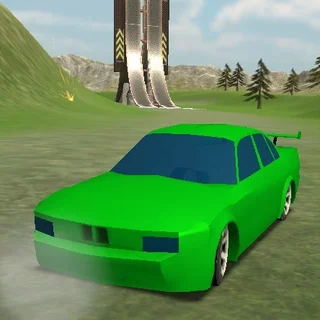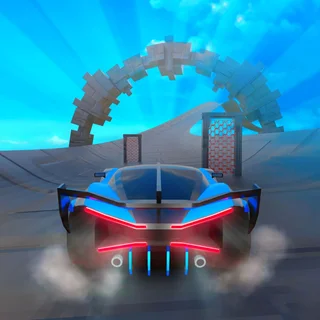
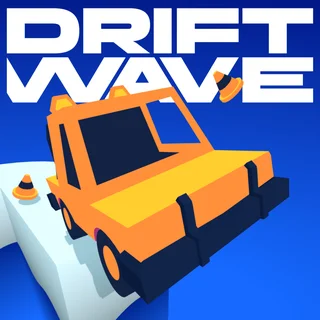
This is Drift Boss unblocked: the full game loads straight from driftboss.me in your browser, so you can play Drift Boss online free on a school Chromebook, a laptop or a phone with no download and no sign-up.
Drift Boss: how the one-button drift works and how to keep the car on the road
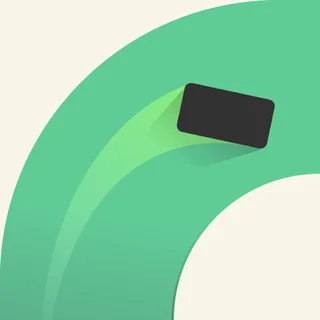
Drift Boss puts a small blocky car on a road that is barely wider than the car itself, floats it over an orange nothing, and takes away the steering wheel. The car accelerates on its own to a fixed speed and turns only when you tell it to: hold the mouse button, a finger or Space and it slides right; let go and it slides left. Every corner on the road is a right angle, so a run is a rhythm of press, release, press, release — and the road never ends, it just gets narrower and adds bumps and short ramps that lift the car for a beat.
MarketJS made Drift Boss in 2019 and it has been one of the most-played browser driving games since, mostly because a run takes thirty seconds and the next one starts with one click. The build served on driftboss.me is the original HTML5 game, hosted on this domain, so it loads in the page without an installer or an account. It runs on a school Chromebook without any settings changes and on a phone in landscape.
Controls & mechanics
| Action | Control | Purpose |
|---|---|---|
| Drift right | Hold left mouse button, Space or a finger | The car drifts to the right for as long as you hold |
| Drift left | Release | The car drifts back to the left; nothing else is needed |
| Start a run | Play button, then the first press | The car sits still until the first input, so take a second to look at the first two corners |
| Restart | Start Drift! after a fall | The end screen shows your score and coins, then the Select Boosters screen; Start Drift! begins the next run |
| Garage and boosters | Buttons under Play, then the Select Boosters screen | Spend coins on cars, and on Double Score (25), Car Insurance (50) or Coin Rush (75) before a run |
Getting past 100
- Turn on the front wheels, not the car: The drift has lag: the car keeps sliding in the old direction for a fraction of a second after you change input. Press or release when the front bumper touches the corner tile and the slide lines up with the next straight.
- Count the tiles ahead: The camera shows two or three corners in advance. Read the length of the next straight before you get there — a one-tile straight means press and release almost in the same motion; a five-tile straight means hold and wait.
- Do not correct twice: If you overshoot, one short opposite tap fixes it. Two panicked taps put the car into a wobble it cannot recover from on a narrow section. Trust the first correction.
- Buy Car Insurance before a serious attempt: Car Insurance costs 50 coins and gives one free crash per run: the car snaps back onto the road instead of falling. It is the cheapest way to turn a 90-point run into a 120-point run.
- Ignore coins on the outside line: Coins sit on the road line and most are on the safe path. A coin on the far edge of a bumpy section is not worth the fall — you earn more from the extra tiles you survive.
Key features
- One input: Hold and release is the whole control scheme, so it works the same with a mouse, a trackpad, a touch screen or the space bar.
- A road that reshapes itself: Straights get shorter, corners come faster and bumps start lifting the car off the surface. The layout is procedural, so no two runs past 50 look alike.
- Cars and boosters: Coins collected in runs unlock a garage of blocky cars and three boosters: Double Score, Car Insurance and Coin Rush. A gift button on the title screen hands out free coins.
- Served from this site: The original MarketJS HTML5 build is hosted on driftboss.me, so it loads with the page and keeps your coins and best score in the browser.
Game info
- Title: Drift Boss
- Developer: MarketJS
- Category: Drift and Drive
- Platform: Web browser (HTML5)
- Released: 2019 · single player · high score
Pro tip: The bumps are not decoration. When the car is in the air after a ramp it does not turn at all, so if a corner sits right after a bump, press before the bump and let the car land already sliding the right way.