
Blumgi Rocket Unblocked — Play Free Online
More Drift and Drive games

Blumgi Rocket unblocked: play Blumgi Rocket online free right here in your browser — no download, no sign-up, works on a school Chromebook.
Blumgi Rocket takes the straightforward joy of two-dimensional driving and supercharges it with explosive rocket propulsion. Instead of gingerly managing grip or feathering a traditional handbrake through asphalt turns, you pilot a springy, high-powered vehicle built to vault across massive chasms, bounce off floating ramps, and barrel through vibrant obstacle courses.
Each short stage is an obstacle course designed around speed, aerial control, and momentum. The real trick is learning how to balance standard wheel drive with short bursts of rocket thrust. Firing your thrusters launches the car skyward, turning steep cliffs and tricky gaps into soaring stunt opportunities.
For players spending time on Drift Boss, Blumgi Rocket delivers a different flavor of precision. Where Drift Boss tests your cornering rhythm and timing on narrow platforms, Blumgi Rocket focuses on trajectory management and mid-air orientation. Both reward players who can read terrain quickly and react before gravity takes over.
How to play
Steering your vehicle uses standard keyboard inputs or simple on-screen buttons:
- A / D or Left / Right Arrows: Drive in reverse or accelerate forward along track surfaces.
- Spacebar or Up Arrow: Engage rocket thrusters to launch your car into the air or extend your jump distance.
- Touch controls: On mobile devices or tablets, tap and hold the on-screen pedal and boost icons.
Each level ends when you cross the designated finish gate. If your car flips upside down, lands in a hazard, or gets hopelessly stuck against an obstacle, the stage resets instantly so you can try a fresh line without delay.
Tips for clearing tough stages
- Feather your rocket bursts: Holding the boost button down can cause your car to over-rotate or crash into ceiling obstacles. Tap the thruster in short pulses to maintain a stable, level flight path.
- Use downward slopes for extra speed: Engaging your rocket boost right before rolling down a ramp maximizes your horizontal momentum, carrying you across wider chasms with ease.
- Correct your rotation before landing: Try to keep your wheels parallel to the ground before touchdown. Landing flat prevents bounce-induced wipeouts and lets you carry momentum straight into the next section.
- Take advantage of quick restarts: Because stages are compact, experimenting with aggressive boost angles is the fastest way to discover shortcuts and clean landing zones.
Similar games on Drift Boss
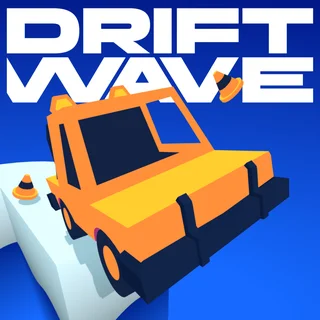
If you enjoy the fast reflexes and stunt driving in Blumgi Rocket, explore other driving titles across Drift Boss. Turn Right offers minimalist, one-touch cornering challenges that test your timing on tight circuits. Driftwave and Blaze Drifter lean into high-speed cornering and asphalt sliding, while Moto X3M 4: Winter provides challenging physics-based obstacle courses filled with dangerous loops and hazards.
Questions about Blumgi Rocket
Is Blumgi Rocket unblocked at school?
Blumgi Rocket runs in an ordinary browser tab from driftboss.me, with nothing to download or install, so it plays on most school Chromebooks and work computers. If a network filter blocks the site, only that network's administrator can change it.
How do you control the car in Blumgi Rocket?
Drive forward and backward using the WASD or arrow keys, and press the spacebar to ignite your rocket thrusters for high jumps and mid-air boosts.
Can you unlock new vehicles in Blumgi Rocket?
Yes, completing levels unlocks a variety of quirky vehicles and colorful skins that you can cycle through as your car collection grows.
Does Blumgi Rocket save your level progress?
Your level milestones and unlocked vehicles are stored automatically in your browser's local cache so you can resume your run anytime.
Is Blumgi Rocket playable on mobile devices?
Yes, Blumgi Rocket runs smoothly on mobile phones and tablets using intuitive on-screen touch controls alongside its desktop keyboard mode.
More games
 Minicars Soccer
 Tunnel Rush
 Eggy Car
 Flying Car Simulator
 Drive Mad
 Crossy Road
 Shift to Drift
 3D Car Simulator
 Crazy Road Trip
 Hill Climb Racing Lite
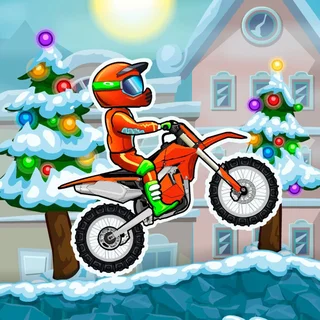 Moto X3M 4: Winter
 Moto X3M 5: Pool Party
 Doodle Jump
 Skiing Fred
 Running Fred
 Temple of Boom
 Basketball Shooter
 Skibidi Shooter
 Paint Strike
 Stickman War
 Basketball Legends
 Soccer Skills World Cup
 House Of Hazards
 Bloxorz
 Elastic Face
 Ludo Hero
 Merge Cakes