
Flying Car Simulator Unblocked — Play Free Online
More Drift and Drive games

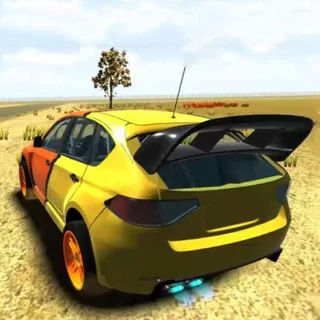
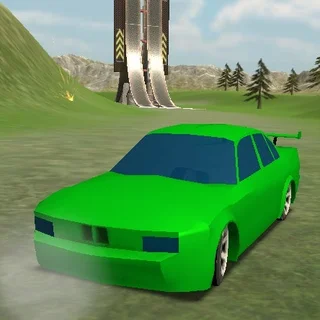


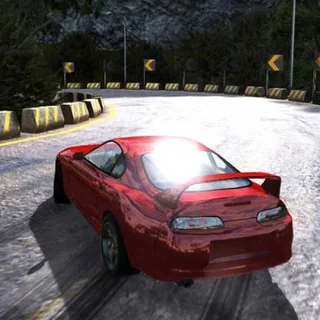
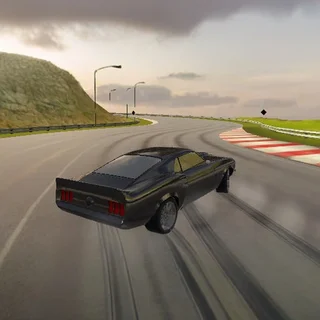



Flying Car Simulator unblocked: play Flying Car Simulator online free right here in your browser — no download, no sign-up, works on a school Chromebook.
Flying Car Simulator transforms the standard city driving experience into an aerial playground. Instead of being confined to ground-level asphalt and traffic lanes, your vehicle doubles as a personal aircraft capable of launching skyward from ramps or taking off across open stretches of road. It provides an expansive sandbox where high-speed acceleration and rooftop exploration replace traditional lap racing.
For players visiting Drift Boss, this title offers a refreshing contrast in pace. Where Drift Boss demands pinpoint timing on treacherous floating corners, Flying Car Simulator provides wide-open freedom. You can cruise through empty streets, test high-speed turns, or build up speed to catch massive air over skyscrapers without the instant failure penalty of falling off an edge.
How to play
Navigating city avenues and taking flight requires mastering basic vehicle dynamics and throttle management:
- Steering and Throttle: Press W or the Up Arrow to accelerate forward, S or the Down Arrow to reverse or brake, and A/D or the Left/Right Arrows to steer.
- Handbrake: Tap the Spacebar to break rear-wheel traction for sharp turns and drifting around city corners.
- Taking Flight: Build top speed across flat asphalt or sprint toward massive stunt ramps scattered across the map. Once airborne, maintain pitch and balance to glide smoothly above the skyline.
- Touch Controls: On smartphones and tablets, directional arrows and drive pedals render directly on screen for touch inputs.
Practical driving and flight tips
- Line up ramp approaches early: Hitting a jump at an angle causes the car to spin mid-air. Center your vehicle on the ramp approach to ensure a clean, level trajectory.
- Feather the throttle on landings: Release acceleration right before touchdown to avoid bouncing off the ground and losing control upon impact.
- Use straightaways for altitude: The longer your ground run-up, the greater your takeoff velocity and aerial range.
- Practice drifting into wide turns: Tapping the handbrake before turning allows you to pivot around tight street corners without scrubbing off all your forward momentum.
Similar games on Drift Boss
If you enjoy open-ended motoring and stunt driving on Drift Boss, check out 3D Car Simulator for a grounded sandbox with multiple vehicle types to test across diverse environments. If you want structured cornering and competitive drift scoring, both Blaze Drifter and Burnout Drift: Hilltop focus heavily on tire control, weight shifting, and high-speed slides.
Flying Car Simulator runs smoothly in any modern web browser on desktop, laptop, or mobile platforms. With zero installation hurdles and instant loading, you can jump straight in for a quick five-minute stunt session or spend a relaxing break exploring the full skyline.
Questions about Flying Car Simulator
Is Flying Car Simulator unblocked at school?
Flying Car Simulator runs in an ordinary browser tab from driftboss.me, with nothing to download or install, so it plays on most school Chromebooks and work computers. If a network filter blocks the site, only that network's administrator can change it.
What are the controls for Flying Car Simulator?
Use WASD or the Arrow keys to drive, steer, and maneuver your vehicle. Press the Spacebar to engage the handbrake for tight turns. On mobile screens, touch pedals and controls appear automatically.
How do you fly in Flying Car Simulator?
Accelerate down long straights or launch off stunt ramps to gain enough speed and altitude. Once airborne, keep the car balanced to glide across city skylines before touching back down.
Do I need to download or install anything to play?
No installation is required. The game runs directly in your web browser on desktop computers, Chromebooks, and mobile devices.
Can I play Flying Car Simulator on mobile?
Yes, the HTML5 engine supports mobile web browsers with on-screen touch controls, though a physical keyboard on desktop offers the most precise steering control.
More games
 Blumgi Rocket
 Crossy Road
 Shift to Drift
 Crazy Road Trip
 Hill Climb Racing Lite
 Moto X3M 4: Winter
 Moto X3M 5: Pool Party
 Turn Right
 Mad Skills Rallycross
 Blacktop Police Chase
 Rally Point 5
 Need for Madness
 Elastic Face
 Ludo Hero
 Merge Cakes
 Block the Pig
 Super Tunnel Rush
 Mad Truck Challenge Special
 Sky Mad
 Mad Cars Racing And Crash
 Truck Traffic
 Stickman Climb 2
 Super Falling Fred
 Soccer Skills 2 World Cup
 Basketball Legends 2020
 Johnny Trigger Action Shooter
 OvO Classic