
Basketball Legends 2020 Unblocked — Play Free Online
More 2-Player games




Basketball Legends 2020 unblocked: play Basketball Legends 2020 online free right here in your browser — no download, no sign-up, works on a school Chromebook.
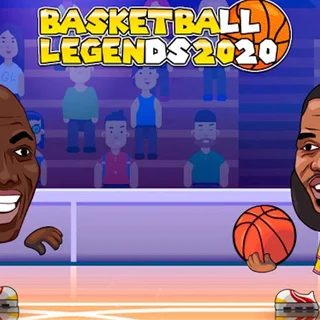
Basketball Legends 2020 brings exaggerated two-on-two and one-on-one streetball to your web browser with iconic bobblehead players and lightning-fast action. Each match puts you in control of superstar athletes capable of leaping across the court, executing backboard-shattering dunks, and sinking clutch perimeter shots before the shot clock expires.
Whether you jump into a quick exhibition match, fight through the tournament bracket for a championship trophy, or share a keyboard with a friend in local multiplayer, the pace remains relentless. For players visiting Drift Boss who enjoy twitch reflexes and split-second timing, this game swaps drifting asphalt for hardwood courts and competitive mind games.
How to play
You can compete solo against responsive computer opponents or split the keyboard for local two-player action. When playing alone, use the arrow keys or WASD to navigate the court, tap Up or W to jump for rebounds and blocks, and press Down or S to crouch and guard against drives.
Offense and defense revolve around simple key mappings:
- Shooting and Dunks: Hold the shoot key to jump, then release at the peak of your elevation to hit accurate jumpers. Drive toward the rim and hold shoot while in the air to trigger powerful dunks.
- Steals and Blocks: On defense, tap the action key near the ball handler to poke the ball loose, or jump straight up when they shoot to swat the attempt away.
- Dash and Supershot: Double tap left or right to dash past defenders. Once your character supershot bar charges to maximum, press your special action key to unleash an unstoppable flaming shot or high-flying super slam.
Tips for winning matches
Mastering a few fundamental habits will help you dominate tournament brackets and outscore friends:
- Time your block instead of spamming steal: Reaching for a steal carries a recovery delay that gives your opponent an open lane to the basket. Staying between the ball and the hoop to time a vertical block is far safer.
- Release shots at the apex: Every player has a sweet spot at the peak of their jump. Releasing early or late drastically lowers your shooting percentage from behind the arc.
- Save supershots for clutch possessions: A supershot guarantees points from almost anywhere on the court. Save your meter for late-game possessions or when you need to break an opponent scoring run.
Similar games on Drift Boss
While titles like Turn Right and Blaze Drifter challenge your vehicle control and cornering lines, Basketball Legends 2020 delivers direct head-to-head competitive sports play. If you enjoy quick physical timing and testing your reflexes across short rounds, games like Moto X3M 4: Winter and Shift to Drift offer equally intense, skill-focused sessions.
Questions about Basketball Legends 2020
Is Basketball Legends 2020 unblocked at school?
Basketball Legends 2020 runs in an ordinary browser tab from driftboss.me, with nothing to download or install, so it plays on most school Chromebooks and work computers. If a network filter blocks the site, only that network's administrator can change it.
Can I play Basketball Legends 2020 with two players?
Yes, you can play locally with a friend on the same keyboard in 2-player versus or co-op modes alongside the regular single-player tournament.
How do I perform a super dunk or special shot?
Wait for your character supershot meter at the top of the screen to fill completely, then press the special action key while driving to the hoop or shooting.
What devices can run Basketball Legends 2020?
The game runs directly inside standard modern desktop and laptop web browsers without needing any downloads, plugins, or installations.
Does Basketball Legends 2020 save my tournament progress?
Your tournament progress and match records are saved locally in your browser storage as long as you do not clear site data.
More games
 Crazy Road Trip
 Hill Climb Racing Lite
 Moto X3M 4: Winter
 Moto X3M 5: Pool Party
 Turn Right
 Mad Skills Rallycross
 Blacktop Police Chase
 Rally Point 5
 Need for Madness
 Highway Traffic
 Stunt Simulator Multiplayer
 Minicars Soccer
 Tunnel Rush
 Eggy Car
 Flying Car Simulator
 Drive Mad
 Blumgi Rocket
 Crossy Road
 OvO Classic
 G-Switch
 Slope Tunnel
 Doodle Jump
 Skiing Fred
 Running Fred
 Temple of Boom
 Skibidi Shooter
 Paint Strike