
One-Button Games That Run on a School Chromebook
Published · 2 min read
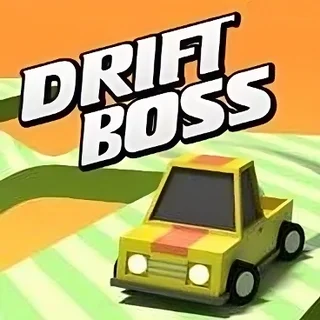
One-button games are the ones that survive a school Chromebook: they need no mouse precision, they work on a trackpad, and most of them are light enough that an integrated GPU does not matter. This is what we found testing the line-up on a low-end laptop with a touchpad.
Hold and release
- Drift Boss — hold to drift right, release to drift left. Runs at full speed on every Chromebook we tried; it is a 2D-style render of 3D blocks and there is nothing to slow it down.
- Turn Right — tap to turn right, and only right. Every track is a loop of right-hand corners at different spacings, so it trains the same look-ahead habit as Drift Boss without the drift lag.
- Eggy Car — technically two keys (accelerate and reverse), but most of the game is feathering one of them so the egg does not roll off the roof.
One key to jump
- Running Fred and Skiing Fred — 2D runners with a jump key; instant on any laptop.
- Doodle Jump — left and right only, no jump key at all; the character bounces on its own.
- Tunnel Rush and Slope Tunnel — left and right to dodge inside a tube. These are WebGL and the fastest of the set on screen, so close other tabs first if the frame rate drops.
What to skip on a slow laptop
The 3D shooters (Airport Clash 3D, Sniper Clash 3D, Rocket Clash 3D) run, but at low settings, and they need a real mouse to aim. Drive Mad and Flying Car Simulator use the GPU for the whole session and can stutter with a video open in another tab. Everything else on the shelf is fine.
Trackpad notes
For Drift Boss on a trackpad, press the physical click and hold it rather than tap-to-click: tap-to-click registers as a press and an immediate release, which turns the car right and left in the same instant. The space bar works too and is easier to hold for a long straight. On a touch screen, a finger anywhere on the game works — you do not have to touch the car.
If a game will not start
Click inside the frame once so the page hands it keyboard focus. If a WebGL game loads and then freezes on its first frame, reload the page once — Chromebooks sometimes fail to give a fresh tab a graphics context on the first try. And use the Fullscreen button under the player rather than the browser's zoom, which forces a re-render every time you change it.
More from the blog
- Drift Boss Corner Timing: Why You Fall Off and How to Stop
The drift in Drift Boss lags your input by a fraction of a second. Once you understand what the car does after you press, the falls stop being random.